We accept:


 01706 214 233
Creating an account has many benefits: check out faster, keep more than one address, track orders and more.
TTwo of the three headsets in that question are no longer things you can sensibly buy. The Valve Index is discontinued, Valve having confirmed it stopped manufacturing. However, Valve’s new Steam Frame VR kit recently released. The original HTC Vive is long past useful life and HTC has then shifted its targeted market to business/enterprise customers. Only the Quest is current, and the "Oculus Ready" badge you'll still see on some PCs is retired Meta branding rather than a certification worth looking for.
That matters less than it sounds, because the PC requirements are driven by resolution and refresh rate rather than by the brand on the headset. What all of them ask for is a graphics card, and more of one than most people expect.
A Quest 3 renders 2064x2208 pixels per eye, and the Steam Frame renders 2160x2160 pixels per eye. Across both eyes they are both rendering over 9 million pixels, which is more than a 4K display. PC VR usually renders above the headset's native resolution as well, to compensate for the compression that happens when the image is sent over a cable or wirelessly. Therefore, driving a Quest 3 from a PC is a heavier workload than 4K gaming, and it has to hold 90 frames a second while doing it.
In a flat game a dropped frame is a visual annoyance. In VR it's a physical one.
When the image doesn't keep up with your head movement, people feel it, and a session that should be fun becomes one that ends early with a headache. That's why VR platforms have reprojection systems that synthesise frames to cover gaps, and why leaning on those systems constantly is a poor experience rather than a solution.
VR rewards headroom in a way flat gaming doesn't, so a machine that averages 90fps with occasional dips isn't adequate; you want one that holds the target comfortably, because the floor matters more than the average. It's the single biggest difference in how you should spec a VR machine, and it's why the honest answer to "will this run VR" is usually one tier above what the minimum specifications suggest.
Worth being straight about this, because the search results on the subject are years out of date.
Meta Quest 3 and Quest 3S: The current mainstream option and what most people are actually buying. They work standalone, and they connect to a PC either through a USB-C cable or wirelessly, which is what unlocks the PC VR library. The 3S is the cheaper one with lower-resolution optics.
Valve Index: Discontinued. You may still find remaining stock, and it remains a capable headset with excellent tracking, though buying a 2019 product at this point is a hard recommendation to make.
Valve Steam Frame: A wireless standalone VR kit that is the replacement for the Valve Index. This VR kit allows you to play with or without a PC as it contains a Snapdragon processor, memory, and storage, Wi-Fi 7, and SteamOS. It also comes with a Wi-Fi 6E USB wireless adapter to plug into a PC to stream more powerful VR and non-VR games that the Steam Frame wouldn’t be able to handle on its own.
HTC Vive: A long product history rather than a single product. The original is well past its useful life, and HTC's current headsets sit in a more business-oriented part of the market than the Quest does. If you already own one, the guidance below still applies.

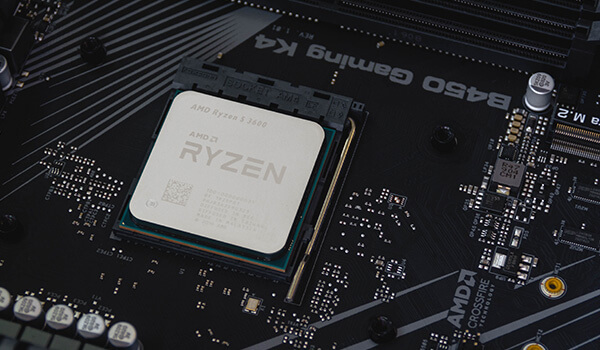
Graphics card: For a comfortable PC VR at current headset resolutions, aim for the mid to upper part of the current generation rather than the entry level. An RTX 5070 or better is a sensible floor and more helps directly. Sim titles in VR, which is where a lot of people end up, are the most demanding case of all. We have a separate guide on choosing a graphics card for VR if you want to go deeper on that decision.
Processor: Matters less, though not nothing as most VR titles are GPU-limited, so a current mid-range chip is fine. The exception is sim racing and flight sim in VR, where the physics and world simulation still fall on the processor and you're now asking it to feed a much heavier rendering load. If that's your use case, don't skimp.
Memory: 32GB is the ideal. VR titles are memory-hungry, and you'll usually be running the headset software alongside the game.
USB-C port: if you plan to connect to the PC by using a cable. Obvious once said and easy to miss when specifying a build. Check the case and motherboard offer one that's usefully placed rather than buried at the back.
Power supply: Matched to the card, which follows from the graphics card decision rather than from VR specifically.
Our VR ready systems are built around this balance, and you can weight a build yourself in the PC configurator if you already know which headset you're pairing it with.
A mid-range current build handles most VR content at the headset's default settings without drama.
An upper mid-range build lets you push render resolution above native, which is where VR image quality visibly improves and where a lot of the "why does this look soft" complaints get solved.
A high-end build is what sim racing and flight sim in VR actually want, because those are the titles that will consume whatever you give them. Have a look at the high-end range if that's the plan.
If you're using a Quest wirelessly, your network becomes part of your VR hardware, and it's where most bad experiences actually come from.
Wireless VR streams a compressed video feed of everything the PC renders, in real time, to the headset. That asks a lot of a home network. What helps is the PC connected to the router by ethernet rather than Wi-Fi, so only one wireless hop is involved. A modern router, ideally Wi-Fi 6 or 6E, with the headset on a band that isn't shared with everything else in the house. And being in the same room as the router, or close to it, because walls are the enemy.
A congested network shows up as compression artefacts, stutter and lag that people naturally blame on the PC. If a build is comfortably specced and VR still feels rough over Air Link or Virtual Desktop, test it with a cable before concluding the hardware is the problem. That one check saves a lot of wasted money.


