We accept:


 01706 214 233
Creating an account has many benefits: check out faster, keep more than one address, track orders and more.
No, and the reason changes what you should be shopping for.
Play at 4K with DLSS set to Quality and the game isn't being rendered at 4K. It's rendered at 1440p and upscaled using AI. What you're asking of a graphics card stops being "can this handle 4K" and becomes "can this handle 1440p natively", which is a far cheaper thing to ask.
With AI, this is becoming the new question, as a card that runs 1440p natively well can run 4K-with-upscaling well. The 5090 is for people rendering 4K natively, running path tracing, or driving a very high refresh 4K panel.
Both DLSS and FSR render the game at a lower internal resolution, then reconstruct a higher-resolution image from it using motion data and previous frames. Modern versions use trained AI models to do the reconstruction, which is why the results improved so sharply on the older algorithmic approaches.
The quality settings are render scales, nothing more. At a 4K output:
| Setting | Internal resolution |
|---|---|
| Quality | 2560 x 1440 |
| Balanced | roughly 2227 x 1253 |
| Performance | 1920 x 1080 |
| Ultra Performance | 1280 x 720 |
Quality mode at 4K means the GPU is only rendering at 1440p which is being upscaled to 4K with AI, and Performance mode at 4K is the same but the GPU is only rendering at 1080p. Those are enormous differences in load, and they're the reason an upper mid-range card can produce a picture that genuinely reads as 4K.
Reconstruction does get harder the less information it has to work from. Quality mode sits close enough to native that most people can't reliably pick it out in motion. Ultra Performance, working up from 720p, is visibly softer and throws artefacts onto thin objects, fences, hair and transparency. The tiers are not equally good and treating them as interchangeable is how people end up disappointed.
RTX 5070 Ti or RTX 5080 covers 4K with DLSS Quality in most current games. This is the realistic answer for the majority of people who want to game at 4K.
RTX 5090 earns its place if you want native 4K without upscaling, if you run path tracing in the games that support it, or if you're feeding a 4K panel at very high refresh rates. It's also a working tool for rendering and AI, where the extra memory and throughput pay for themselves.
RTX 5070 manages 4K with upscaling in less demanding games, but it is more suitable as a 1440p card. Its 12GB of memory is the constraint at 4K rather than its processing power.
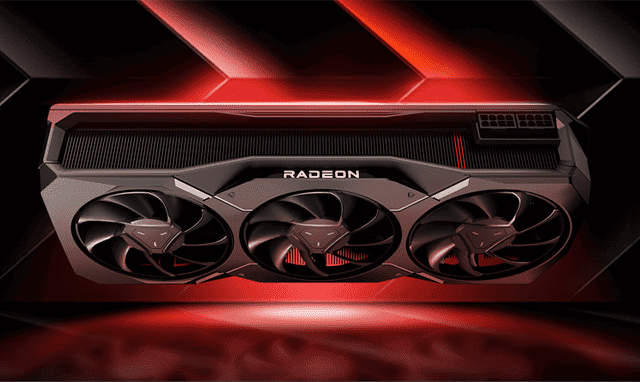
On the AMD side, the RX 9000 series cards get FSR 4, a much stronger position than earlier Radeon generations were in. See the Radeon range and the RX 9000 series.
If 4K is the target, the 4K gaming range is specced around this.
The rules differ between the two companies and AMD's changed recently, which is where most of the confusion comes from.
DLSS is NVIDIA only and requires an RTX card. The upscaling itself works across every RTX generation from the 20 series onwards, including the current transformer-based model that replaced the older approach and improved image quality considerably, so an older RTX card still benefits from the newest upscaling. Frame generation is the part that's gated: it needs an RTX 40 series card or newer, and the multi-frame version is exclusive to the 50 series. NVIDIA's app also includes an override that forces the newer model into games that shipped with an older version, which costs nothing and is worth turning on. The newer DLSS 5 is limited to the 50 series cards only.
FSR used to be the universal option, running on almost anything including competitors' cards. FSR 4 ended that. It's machine learning based and requires RDNA 4 hardware, meaning the RX 9000 series. Earlier Radeon cards are limited to FSR 3.1, which still works and looks reasonable without matching the AI version.
XeSS is Intel's, and it includes a fallback path that runs on non-Intel cards. Useful if you're on older AMD hardware and want something better than FSR 3.1 in a game that supports it.
On quality, DLSS with the current model keeps a modest lead, most visibly in motion stability and the hardest fine-detail cases. FSR 4 closed most of the gap that used to exist. If you own an RDNA 4 card, you're not settling for anything.
Upscaling renders fewer pixels and reconstructs the rest. Frame generation renders fewer frames and inserts synthesised ones between them. The two get bundled together in conversation and they behave nothing alike.
However, the distinction between the two is very important: upscaled frames respond to your input, but generated frames don't. Therefore, frame generation raises the your fps with the downside of higher input latency, which makes it excellent for a demanding single-player game you want looking fluid at 4K, but the wrong tool entirely for competitive shooters. It also works best when your base frame rate is already reasonable, rather than as a rescue for something running at 30.
Frame generation also uses memory of its own, which is part of why 12GB cards get tight at 4K once ray tracing and frame generation are stacked together.
Fine repeating detail is the hardest case: fences, foliage, power lines and hair are where reconstruction artefacts show first, and where the difference between a good implementation and a poor one is obvious.
Upscaling DLSS support varies by game; most major releases include DLSS, fewer include the newest FSR, and older games may only carry an early version of either. The NVIDIA override helps on that side. AMD's equivalent coverage is patchier.
Low internal resolutions have limits that no amount of clever reconstruction fixes. If you find yourself needing Ultra Performance to hit a playable frame rate, the honest reading is that the card isn't suited to that resolution rather than that upscaling has failed you.
Five years ago, 4K meant requiring the latest flagship card, but a well-chosen upper mid-range card with good upscaling now produces an image most people can't distinguish from native in normal play. Therefore, 4K is now considerably cheaper and worth resisting the pull of the biggest graphics card on the shelf when the honest answer is that you don't need it.
Match the card to the resolution and refresh rate you actually have. Then check what upscaling that card supports, because on the AMD side in particular, generation matters more than it used to.
You can compare cards in the graphics card range, see complete builds in the RTX 50 series range, or set the balance yourself in the PC configurator.
What to read next


