We accept:


 01706 214 233
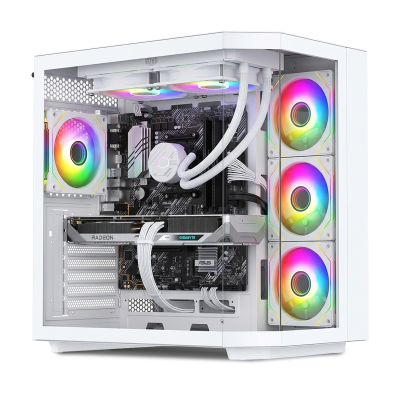
Streaming asks less of a PC than it used to. Current NVIDIA and AMD cards carry a dedicated encoder that handles the broadcast separately from rendering the game, so a capable gaming PC is a capable streaming PC. What these machines have is headroom: enough memory, cooling and power to play and broadcast for hours rather than a match.
All are hand built and tested here in the UK, ship with Windows 11 installed, and come with a 3 year warranty as standard. Next day systems are in stock, express systems dispatch in 3 to 5 working days, and custom builds take 6 to 8.
Creating an account has many benefits: check out faster, keep more than one address, track orders and more.
 BUILT IN THE UK
 3 YEAR WARRANTY
The advice people repeat about streaming machines is mostly out of date, and it is worth clearing up before you spend money on the wrong thing.
Current NVIDIA and AMD graphics cards carry a dedicated video encoder, a separate piece of hardware that compresses the stream while the rest of the card gets on with rendering the game. It is not borrowing performance from your frame rate in the way that processor encoding does. That single change is why the old answers, a huge core count, or a second PC to handle the broadcast, no longer apply to most people.
What that leaves is simpler. A capable gaming PC is a capable streaming PC. You want a bit more headroom across the machine rather than one specialised component.
This is the one people underspend on and the one most likely to cause problems. While you play, the game, the broadcasting software, a browser, a chat client and often a second monitor's worth of windows are all running at once. 16GB works. 32GB is the sensible choice if you stream regularly, because running short of memory shows up as stutter partway through a session rather than as a lower frame rate.
The card does two jobs here: rendering the game and encoding the stream. The encoder is separate hardware on current cards, so the cost is small, but it is not nothing, and a card already at its limit in the game has less to give.
In practice that means buying one tier up from what you would choose for playing alone is a reasonable approach, rather than buying a different kind of card. Our GPU buyer guide covers how the cards compare.
Core count matters less than the forums suggest, provided you encode on the graphics card. It becomes relevant in two situations: if you encode on the processor instead, which gives slightly better image quality at a much higher performance cost, and if you edit and render video as well as streaming it live.
If the machine is for streaming and editing both, more cores earn their money. If it is purely for live streaming, that budget does more as memory or a stronger card. Our CPU buyer guide works through where the line sits.
Worth a thought if you record as well as stream. Recorded footage at high bitrates fills a drive quickly, and writing that file while a game is loading from the same drive is one of the few remaining ways to cause a stutter on a modern machine. A second drive for captures is a cheap fix.
A streaming machine runs harder for longer than a gaming one. Sessions last hours rather than a match, and both the card and the processor stay loaded throughout. That makes cooling and power supply headroom more relevant than the specification sheet suggests, because a system that throttles after an hour is a problem a benchmark will never show you.
Our systems are specified with that in mind. If you are building your own in the PC configurator, our guide on what power supply wattage you need covers the headroom to allow for, including the transient spikes current cards draw.
These are machines specified with enough headroom to play and broadcast at the same time, across both AMD and Intel processors and both NVIDIA and Radeon cards. The range covers 1080p through to 4K, and most streaming is done at 1080p or 1440p regardless of what you play at.
Every machine is hand built and tested here in the UK with a 3 year warranty as standard.
Less than it used to. Current NVIDIA and AMD cards carry a dedicated video encoder that handles the stream separately from the part rendering the game, so the cost to your frame rate is small. A capable gaming PC is a capable streaming PC. What changes is that you want a little more headroom everywhere rather than one specialised part.
Not for encoding, if you stream using the graphics card's encoder, which most people do. Core count matters if you encode on the processor instead, which gives slightly better quality at a much higher performance cost, or if you edit and render video as well as streaming. Our CPU buyer guide covers how much processor is actually worth paying for.
16GB works. 32GB is the sensible choice if you stream regularly, because the game, the broadcasting software, a browser and a chat client all want their share at once, and running short shows up as stutter mid-stream.
No. A dual PC setup was the answer before cards had dedicated encoders. One machine handles both now, and the money is better spent on a stronger single system than split across two.
Only if you are capturing from a console or a second machine. Streaming what is running on the PC itself needs no capture hardware.
Built to order systems take 6 to 8 working days, or 3 to 5 on express. Some machines in this range are in stock for next day delivery.
If you want the whole setup rather than the tower, our gaming PC bundles add a matched monitor and peripherals. For more processor for editing and rendering alongside, see Ryzen 9 or Core i9 gaming PCs, or browse all gaming PCs.


