We accept:


 01706 214 233
Intel gaming PCs across two generations: the 13th and 14th generation Core i chips, and the newer Core Ultra line on LGA1851. The Core i machines are where the value sits, since that platform is mature, while Core Ultra is the one with upgrades still ahead of it. The range covers 1080p through to 4K, with Intel processors paired to both NVIDIA and AMD cards.
All are hand built and tested here in the UK, ship with Windows 11 installed, and come with a 3 year warranty as standard. Next day systems are in stock, express systems dispatch in 3 to 5 working days, and custom builds take 6 to 8.
Creating an account has many benefits: check out faster, keep more than one address, track orders and more.
 BUILT IN THE UK
 3 YEAR WARRANTY
Intel gaming PCs here run across two generations: the 13th and 14th generation Core i chips, and the newer Core Ultra line. We build with both, and the choice between them is less obvious than the names suggest. The range covers 1080p through to 4K, with Intel processors paired to both NVIDIA and AMD cards, so the processor brand does not decide the graphics.
This is the decision most people land here to make, and it comes down to the platform rather than raw speed.
Core i, the 13th and 14th generation chips, sit on the LGA1700 socket. That platform is at the end of its life, which is exactly why the value is good: a 14400F or 14600KF is a strong gaming processor at a price the newer line cannot match.
Core Ultra sits on LGA1851 with DDR5 and a redesigned architecture that splits work across performance and efficiency cores. The practical difference is that this is the platform with upgrades still ahead of it, so if you expect to change the processor rather than the whole machine in a few years, that is the one to be on.
Our guide comparing Core Ultra and Core i goes through where each one wins. The motherboard buyer guide covers what each socket gives you, and DDR5 for gaming explains what the memory change actually does.
Within a generation, the number tells you where a chip sits rather than how new it is.
 |
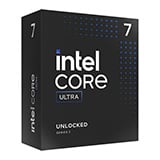
Core Ultra 9 The top of the Core Ultra line. High core counts aimed at machines doing creative work or streaming alongside demanding games. |
 |
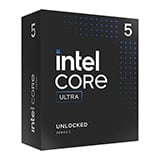
Core Ultra 7 Where most of the stronger Core Ultra builds sit. Enough processor for high frame rates and for streaming or editing without the machine running short. |
 |
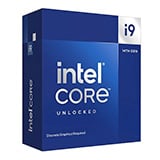
Core Ultra 5 The sensible balance on the newer platform. Strong single core speed for gaming, with the saving put towards the graphics card. |
 |
More processor than gaming alone needs. Worth it if you render, encode or stream heavily on the same machine. |
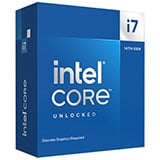 |
Strong gaming performance with the headroom to game and stream at the same time. |
 |
The tier most people buy, and the backbone of this range. Pair one with a capable card and the processor will rarely be what limits you. |
| K | The processor can be overclocked. |
| F | No integrated graphics, so a separate card is required. |
| KF | Both: overclockable, and a card is required. |
If nothing here fits, build it yourself in the PC configurator and our engineers assemble and test it. If you need one quickly instead, our next day gaming PCs ship from stock.
They are different generations on different sockets. Core i, the 13th and 14th generation chips, sit on LGA1700 with DDR4 or DDR5. Core Ultra is the newer line on LGA1851, DDR5 only, with a redesigned architecture. Both are in this range, and a current Core i5 is still a strong gaming processor. Our guide to Core Ultra versus Core i compares them properly.
For most people, yes. At 1080p and 1440p the graphics card decides the frame rate far more than the processor, and a current Core i5 keeps up with cards well above what it is usually paired with. The tiers above earn their money when you stream, edit or render on the same machine.
Often, yes. A current generation Core i5 can outperform an older i7 in modern games, because architectural changes between generations tend to outweigh the difference between tiers within one. Read the full model number rather than the tier alone.
K means the processor can be overclocked. F means it has no integrated graphics, so a separate card is required. KF means both.
Every system carries our PROTECT warranty as standard: 3 years labour, 2 years parts and 1 year collection, with longer cover available. Faults in the first 30 days are collected at our cost. Full terms are on our warranty page.
Built to order systems take 6 to 8 working days, or 3 to 5 on express. Some machines in this range are in stock for next day delivery.
Narrow by tier with Core i5, Core i7 or Core i9 gaming PCs, compare against our AMD gaming PCs, or see every machine we build in all gaming PCs.


