We accept:


 01706 214 233
Creating an account has many benefits: check out faster, keep more than one address, track orders and more.
When you are shopping for a gaming PC or looking at CPU upgrades, you will almost always see specifications like “6 cores, 12 threads” or “8 cores, 16 threads”. For many new PC gamers, those numbers sound important, but not especially clear.
What makes things harder is that cores and threads are often talked about as if they are the same thing. They are related, but they are not interchangeable, and understanding the difference can make choosing the right gaming CPU far less confusing. This guide explains CPU cores and threads in plain English, with a focus on what actually matters for gaming.
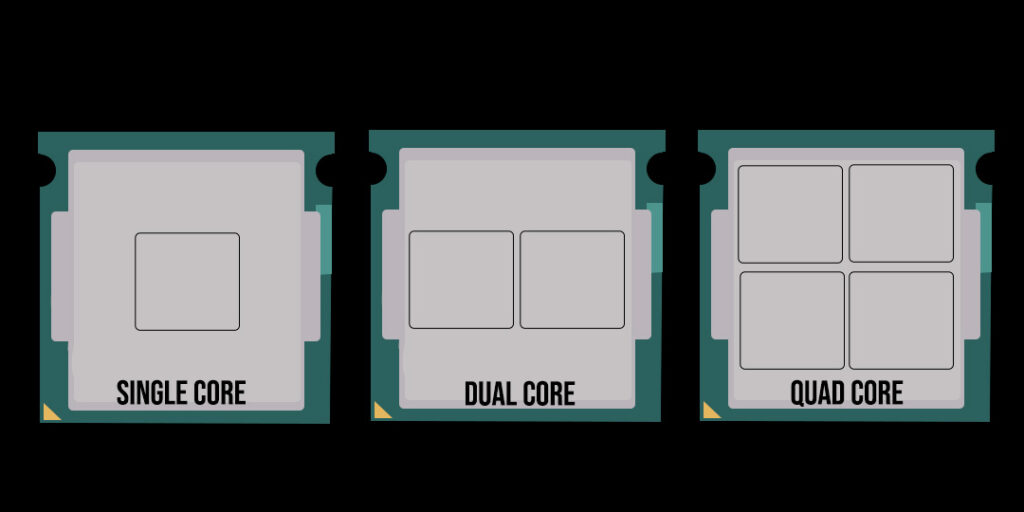
A CPU core is a physical processing unit inside your processor. Each core can work on tasks independently, which means a CPU with more cores can handle more work at the same time.
A helpful way to picture this is to imagine a kitchen. Each core is like a hob on the cooker. One hob can cook one dish at a time. If you add more hobs, you can cook more dishes simultaneously.
In gaming terms, cores allow your CPU to handle multiple tasks at once, such as:
Practical takeaway:
More CPU cores increase your system’s ability to multitask, but they do not automatically make games run faster.
A CPU thread is not a physical component. Instead, it is a way for a single core to manage multiple instruction streams more efficiently.
Technologies like Intel’s Hyper-Threading or AMD’s Simultaneous Multithreading (SMT) allow one physical core to handle two threads at once. The core rapidly switches between tasks, keeping itself busy rather than waiting idly.
Think of a thread like a skilled juggler. The juggler is still one person, but by switching focus quickly, they keep several balls moving at the same time.
Practical takeaway:
Threads improve efficiency, but they do not double a core’s raw power.
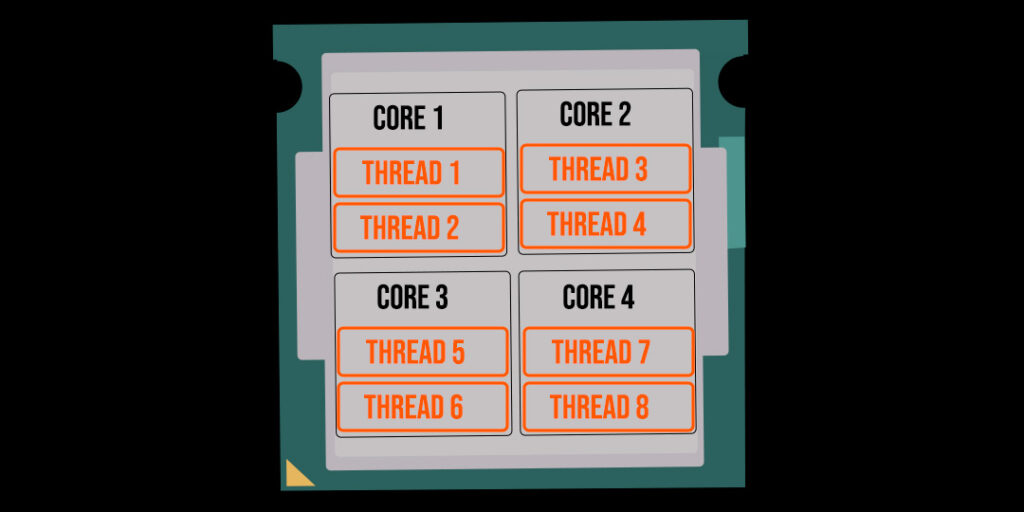
Cores provide capacity. Threads improve how efficiently that capacity is used.
Another way to look at it is to imagine a motorway. The number of lanes represents CPU cores. Threads act like smart traffic management, helping cars move more smoothly through those lanes. Good traffic management helps, but it does not replace having enough lanes in the first place.
This is why a CPU with fewer cores but more threads can feel responsive, yet still fall behind a CPU with more physical cores in certain workloads.
When a CPU is listed as having 4 cores and 8 threads, it means:
This does not mean the CPU behaves like an eight-core processor. It behaves more like a very efficient four-core CPU. For gaming, this distinction matters. Games tend to prefer strong physical cores first, with threads providing additional support rather than leading the performance.
For most modern games, physical CPU cores matter more than threads.
Games are often built around a few heavy tasks that benefit from strong, dedicated cores. Threads help with background tasks and smoother multitasking, but they rarely double gaming performance.
You can think of gaming workloads like sprinting rather than marathon running. Raw, immediate performance matters more than spreading work thinly across many logical threads.
In short:
For most gamers:
Buying beyond this rarely improves gaming performance unless you have very specific use cases.
CPU cores and threads are often misunderstood because they are presented as simple numbers, without context. Once you understand that cores provide physical processing power and threads improve efficiency, CPU specs become far easier to read.
Find out more about the best CPU for gaming.
For gaming, the goal is balance. Enough strong cores to handle the game itself, with enough threads to keep everything running smoothly in the background.
Key takeaways:


