We accept:


 01706 214 233
This form is protected by reCAPTCHA - the Google Privacy Policy and Terms of Service apply.
Creating an account has many benefits: check out faster, keep more than one address, track orders and more.
Buying your first gaming PC is exciting, but knowing which accessories are actually worth the money can quickly feel overwhelming. Keyboards, mice, headsets, monitors, chairs; suddenly it feels like the PC itself was only half the purchase.
The good news is that you do not need everything at once. Some accessories are genuinely essential, others meaningfully improve comfort and performance, and a few can wait until you know what kind of gamer you really are.
This guide walks through what actually matters, in a sensible order, so you can build a setup that feels good to use from day one.
You can always opt for a gaming pc bundle too, which comes with all the essential components you need to get you started.
These are the accessories you simply cannot avoid. Without them, your PC might turn on, but it will not be very usable for gaming.
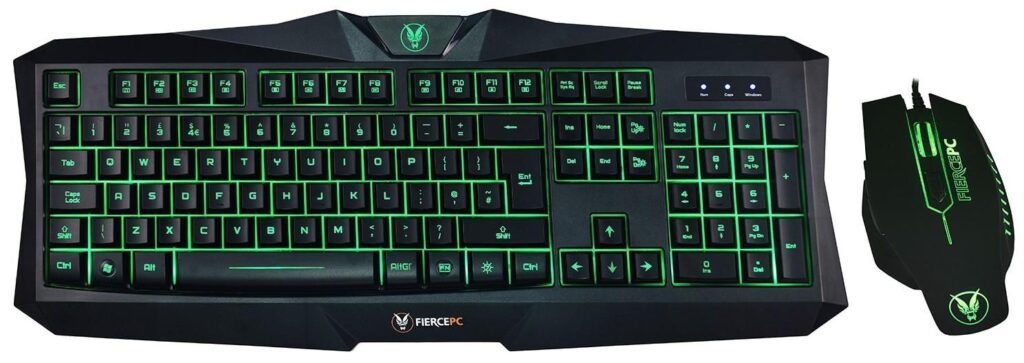
A keyboard and mouse are the primary way you interact with your PC, and it is worth spending some time choosing your keyboard and mouse as there are very different options which can affect the comfort and usability, and they will depend on the kind of gamer you are.
A gaming mouse, in particular, is worth prioritising. Think of it like a steering wheel. Even if the engine is powerful, poor steering makes everything feel harder. A good mouse offers consistent tracking, comfortable grip, and reliable buttons, which matters far more than flashy RGB lighting.
Most good gaming mice will let you alter things like input sensitivity, polling rate and mouse acceleration, all of which will change the way the mouse feels, but the shape and weight of the mouse are things that you might want to factor in when initially deciding on the best option for you. Lighter mice tend to be better for competitive online gaming and FPS games, and heavier mice typically offer more control and precision, though ultimately the decision is personal preference.
Keyboards are more forgiving early on. A basic mechanical or membrane keyboard is perfectly fine for a first setup, as long as it feels comfortable to type and play on.
What this means practically is that it’s normally better to spend a little more on the mouse than the keyboard if your budget is tight.
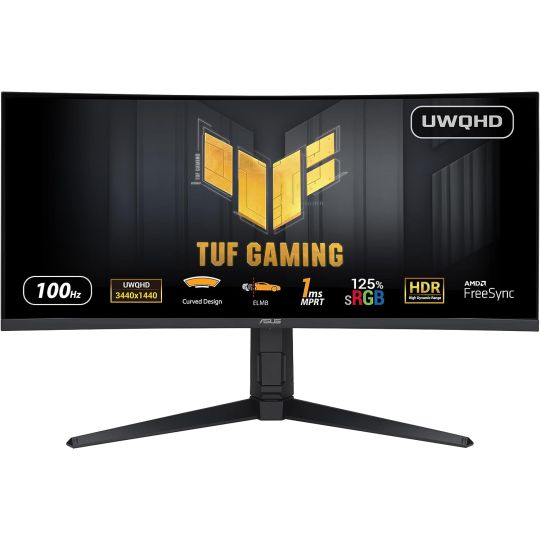
Your monitor determines how you actually see your games. Resolution, refresh rate, and size all shape the experience.
Upgrading from a basic office monitor to a gaming-focused one is like switching from standard definition to HD (in some instances, literally). Everything looks smoother, clearer, and more responsive. For most first-time gamers, a 1080p or 1440p monitor with a higher refresh rate is a sensible starting point.
In practical terms, a smoother monitor often improves enjoyment more than higher graphics settings.
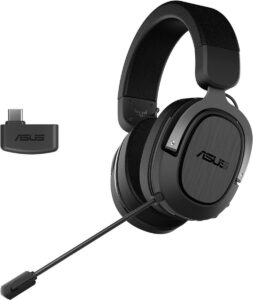
Audio plays a bigger role in gaming than many beginners expect. Directional sound helps you react faster, especially in shooters and competitive games.
A headset can be a great option for first time gamers. It brings footsteps, reloads, and background details into focus, helping you notice things you might otherwise miss, and it means you’re not exposing others to the noise of your gaming sessions. A simple headset with a built-in microphone is usually the most practical option to start with.
Clear, comfortable audio improves immersion and awareness more than sheer volume.
Once the basics are covered, comfort becomes the next priority. If our gaming sessions are anything to go by, they frequently go on for longer than expected.
A chair does not make you play better, but a bad one makes you play worse over time. Sitting on an uncomfortable chair, especially for extended periods of time, can make gaming uncomfortable, painful and less fun, and at worse, can do some real long-term damage.
You do not need an expensive “racing” chair. What matters is proper back support, adjustable height, and armrests that fit your desk.
Comfort affects focus. If your body is unhappy, your gameplay suffers.
We’re not saying a desk isn’t important; obviously you’re going to need a surface for your PC, mouse and keyboard to sit on, but if you're limited on budget, you can make do with a standard desk or table at first. A stable desk and a decent-sized mouse mat give your mouse room to move smoothly. This is especially important for low-sensitivity players.
When everything is cramped, even simple tasks become frustrating. More space equals more control, especially in fast-paced games.
Soft desk lighting reduces eye strain during long sessions. Monitor height and seating position also matter more than most people realise.
Small ergonomic adjustments pay off over time, even if they feel minor at first.
These accessories enhance specific use cases but are not essential for everyone.
If you play racing games, sports titles, or certain action games, a controller can be more comfortable than a keyboard and mouse. Many PC gamers use both, depending on the game. Again, this is a matter of preference though there are purists in both camps.
Useful for streaming, content creation, or frequent voice chats. They can wait until you know you need them.
These help keep your setup tidy and expandable, but they are quality-of-life upgrades rather than necessities.
Add these when a clear need appears, not just because they look nice online, otherwise you end up spending money that you don’t need to.
If you are watching your spending, match accessories to the games you play.
Upgrade in stages. A better mouse today and a better monitor later is often smarter than buying everything cheaply all at once.
One of the biggest mistakes is overbuying too early. Another is ignoring comfort entirely.
It is tempting to copy high-end setups you see online, but your needs will become clearer after a few weeks of actual use and there are usually well-priced options that can match or outperform big-brand names.
Your first gaming PC does not need to be surrounded by dozens of accessories to be enjoyable. Focus on the essentials, prioritise comfort, and upgrade gradually as you learn what matters to you.
A well-chosen setup grows with you, rather than overwhelming you on day one.


